Top 5 Mistakes to Avoid When Buying a New Computer

Buying a new computer is an exciting process, but it can also be overwhelming. With so many options to choose from, it’s easy to make mistakes that could lead to spending too much money or ending up with a computer that doesn’t meet your needs. In this guide, we’ll explore the top five mistakes people make when buying a new computer, and how to avoid them. Whether you’re buying a computer for work, school, gaming, or general use, this guide will help you make a smarter decision.
1. Ignoring Your Needs and Buying Based on Hype
When shopping for a new computer, it’s tempting to go after the latest and most talked-about models. Manufacturers often market new computers with flashy features and exciting designs that grab attention. However, the best computer for you may not be the most expensive or the one with the most features. A common mistake people make is buying based on what’s popular rather than considering their actual needs.
Why It’s a Mistake
Computers come in all shapes, sizes, and capabilities, and not all of them will be right for you. If you’re a student who mainly uses a computer for writing essays and browsing the internet, you don’t need a high-end gaming computer. On the other hand, if you’re a video editor or a gamer, you’ll need a computer with more power and a better graphics card.
Buying based on hype can lead to overspending or getting a computer that has features you won’t use, while missing out on the ones you actually need.
How to Avoid It
- Assess Your Needs: Before you start shopping, make a list of what you’ll be using the computer for. Do you need it for basic tasks like web browsing and word processing, or more demanding tasks like video editing or gaming?
- Research Different Models: Look for computers that meet your specific requirements rather than ones that are simply popular or newly released.
- Compare Features: Make sure the computer has the features you’ll actually use. For example, if you don’t plan to play games, you probably don’t need a high-end graphics card.
By focusing on your actual needs, you can find a computer that fits your lifestyle and budget without falling for unnecessary features.
2. Not Considering Upgradability
Many people buy a new computer without thinking about how long they plan to keep it or whether they’ll want to upgrade it in the future. This can lead to disappointment when you realise that your computer isn’t as future-proof as you hoped.
Why It’s a Mistake
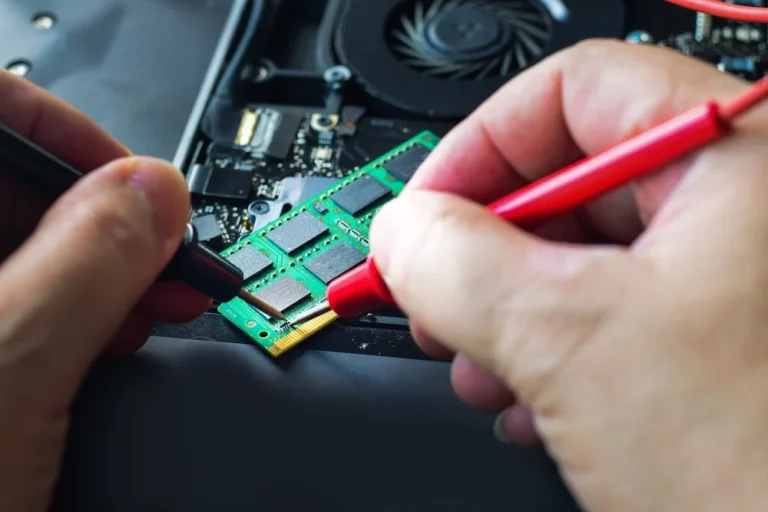
Some computers, particularly laptops and compact desktops, have limited upgradability. For example, many modern laptops have memory (RAM) and storage that are soldered onto the motherboard, making it impossible to upgrade later. This can be a problem if you eventually need more storage or memory to keep up with new software or tasks.
If you don’t consider upgradability, you might end up needing to buy a new computer sooner than expected, which can be costly.
How to Avoid It
- Check for Upgradability: If you’re buying a desktop, make sure it has open slots for adding more RAM or storage in the future. For laptops, check whether the RAM and storage can be upgraded.
- Plan for the Future: Think about how you’ll be using your computer in the next few years. If you expect to need more power or storage in the future, make sure the computer you buy can be upgraded to meet those needs.
- Buy What You Need Now, With Room to Grow: It’s okay to buy a computer with the specs you need right now, but make sure there’s room to add more if your needs change later.
By considering upgradability, you can extend the life of your computer and avoid the need to replace it too soon.
3. Overlooking the Operating System
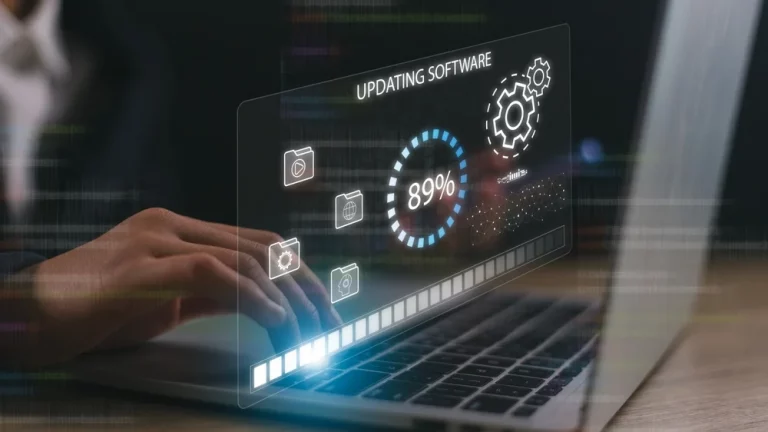
The operating system (OS) is the software that runs your computer and allows you to interact with it. The most common operating systems are Microsoft Windows, macOS, and Linux. Each operating system has its strengths and weaknesses, and choosing the wrong one can impact how you use your computer.
Why It’s a Mistake
Some people buy a new computer without considering which operating system it runs. If you’re used to Windows, buying a Mac without understanding how macOS works can lead to frustration. Similarly, if you need a computer for work, and your office uses Windows-specific software, buying a Mac or Linux computer might not be the best choice.
Choosing the wrong operating system can limit the software you can use and affect your overall experience.
How to Avoid It
- Consider What You’re Comfortable With: If you’re already familiar with an operating system, it might be best to stick with what you know unless you’re willing to learn a new system.
- Check Software Compatibility: Make sure the software you plan to use is compatible with the operating system of the computer you’re buying. For example, if you need Microsoft Office or Adobe software, ensure it’s available on the OS you choose.
- Explore Alternatives: If you’re curious about a new operating system, make sure to do some research. For example, macOS is great for creative professionals, while Linux is popular among developers and those who like customisation.
By carefully considering the operating system, you can ensure that your new computer fits your workflow and software needs.
4. Focusing Only on the Processor
The processor, or CPU (Central Processing Unit), is the brain of the computer, and many people assume that the most important factor in buying a new computer is getting the fastest processor. While the CPU is important, it’s not the only component that affects performance. Focusing only on the processor can lead to an unbalanced system that doesn’t perform as well as you might expect.
Why It’s a Mistake
A computer’s performance is influenced by many factors, including the amount of RAM, the type of storage (HDD or SSD), and the graphics card. If you buy a computer with a fast processor but not enough RAM or an old hard drive, it can still be slow.
For example, if you’re editing videos or playing games, you need a good graphics card and plenty of RAM in addition to a powerful processor. Neglecting these other components can lead to poor performance, even with a great CPU.
How to Avoid It
- Look at the Whole System: Make sure the computer you’re considering has enough RAM (at least 8GB for most tasks), and consider upgrading to an SSD for faster storage.
- Consider Your Use Case: Different tasks require different components. For gaming, a good graphics card is more important than the fastest CPU. For multitasking, having more RAM will make a bigger difference than a slightly faster processor.
- Avoid Overpaying: Don’t spend extra money on a super-fast processor if the other components aren’t up to par or if you don’t need that much power for your tasks.
By considering all of the components in a computer, you can make sure you’re getting the best performance for your needs.
5. Skimping on Essential Features
It’s natural to want to save money when buying a new computer, but cutting costs in the wrong places can lead to frustration down the road. Some people try to save money by skimping on important features, like storage, memory, or display quality, and end up regretting it later.
Why It’s a Mistake
When you buy a computer with limited storage, low RAM, or a poor-quality display, you might find that it doesn’t meet your needs or that you outgrow it quickly. For example, buying a laptop with only 128GB of storage might seem like a good way to save money, but if you run out of space, you’ll have to deal with external drives or cloud storage, which can be inconvenient.
Similarly, if you buy a computer with a low-quality display, you might end up regretting it every time you watch a video or work on visual projects.
How to Avoid It
- Don’t Sacrifice Key Features: Make sure your new computer has enough storage (at least 256GB for most users) and RAM (at least 8GB for general use). If you work with large files or run demanding programs, you might need even more.
- Invest in a Good Display: If you plan to use your computer for watching videos, editing photos, or gaming, make sure the display is of good quality. Look for a screen with a resolution of at least 1080p.
- Balance Price and Features: While it’s important to stick to your budget, don’t cut corners on essential features that will impact your experience. It’s better to spend a little more upfront for a computer that meets your needs than to save money and be frustrated later.
By making sure your computer has the features you need, you can avoid running into limitations or needing to upgrade sooner than expected.
| Factor | Mistake to Avoid | Best Practice |
|---|---|---|
| Needs | Buying based on hype or the latest models without assessing personal needs. | Focus on your specific usage, like gaming, work, or casual use. |
| Upgradability | Not considering whether the computer can be upgraded in the future. | Check if components like RAM or storage can be upgraded later. |
| Operating System | Choosing the wrong OS without considering software compatibility. | Select an OS that aligns with your software requirements. |
| Processor | Focusing only on the processor and ignoring other important components. | Ensure balanced specs: good RAM, storage, and graphics along with a decent processor. |
| Essential Features | Skimping on storage, RAM, or display quality to save money. | Prioritise key features for better long-term performance and experience. |
Conclusion
Buying a new computer is a big decision, and it’s important to avoid common mistakes that can lead to disappointment or unnecessary expenses. Here’s a quick recap of the top five mistakes to avoid:
- Ignoring Your Needs: Don’t buy a computer based on hype—focus on what you’ll actually use it for.
- Not Considering Upgradability: Make sure the computer can be upgraded if your needs change in the future.
- Overlooking the Operating System: Choose an operating system that fits your workflow and software needs.
- Focusing Only on the Processor: Look at the whole system, including RAM, storage, and the graphics card, for balanced performance.
- Skimping on Essential Features**: Don’t sacrifice important features like storage, memory, or display quality to save money.
By keeping these tips in mind, you’ll be able to find the perfect computer that fits your needs, budget, and lifestyle. Happy shopping.